Anchor properties control the shape, size, color, and visibility of markers, or anchors, in a sparkline gadget. Unlike other gadgets that display only one or two data values, a sparkline gadget plots multiple values and, by default, uses anchors to highlight the first, last, lowest, and highest values. Figure 17-15 shows the anchor properties set for a sparkline gadget.
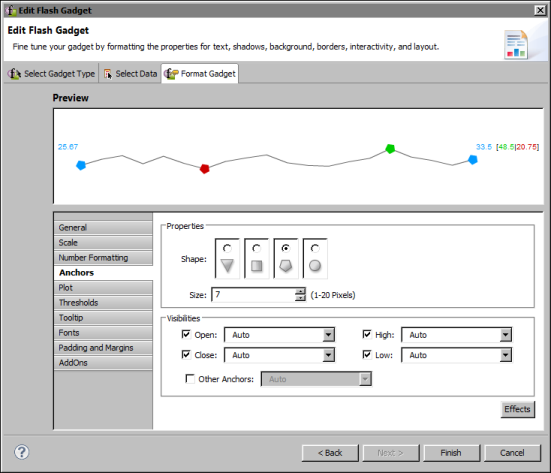
Table 17-9 shows all the anchor properties. These properties are used only in a sparkline gadget.
|
Table 17-9
|
Sets the visibility and color of the anchors. Open, Close, High, and Low anchors are visible by default. To display anchors for all the other values, select Other Anchors.
