|
1
|
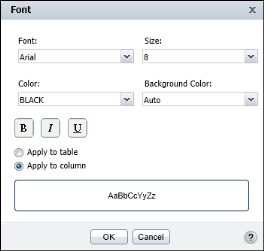
Select the item, such as table label, column header, or column to highlight it. Choose Format→Font from the context menu. Font displays the current font property values, as shown in Figure 3-2. A value of Auto indicates that the default value is used.
|
|
Figure 3-2
|

|
|
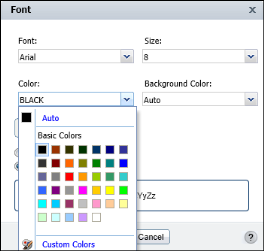
Figure 3-3
|
|
|
|
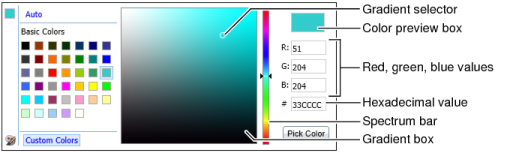
Figure 3-4
|
