How to share a dashboard
Shared dashboards that reside in Shared Folders are available for user subscription in the Dashboard Gallery.

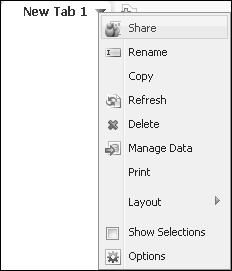
Figure 5-1 Sharing a dashboard
|
n
|
Select which dashboards to include in the shared dashboard file. Select Share Multiple Tabs to choose additional dashboards to include in the dashboard file.
|
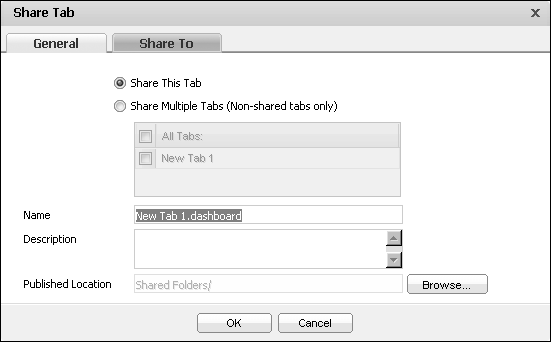
Figure 5-2 Selecting one or more dashboards to share
|
1
|
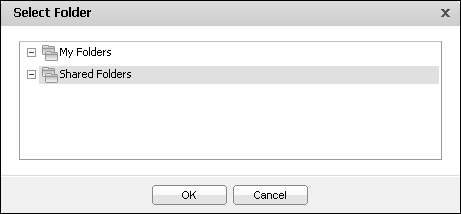
If necessary, choose Browse to identify a custom folder to save the file, as shown in Figure 5-3. Select Folder appears.
|

|
n
|
Add roles and users that can access the file, as shown in Figure 5-7. Choose OK when finished.
|
If multiple tabs are shared in a dashboard file, the current order of the tabs is also saved.
