How to run a file job without saving
This example uses the Categories view, as shown in Figure 4-1.

Figure 4-1 Selecting the categories view
To generate an instant document without saving it in the Encyclopedia volume:
|
1
|
Navigate to the design or report executable file in Items You Can Run and choose the file name to generate the latest version.
|
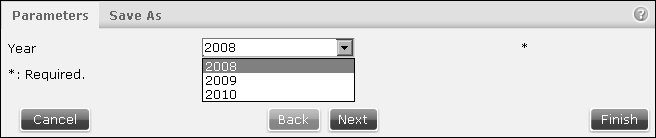
Figure 4-2 Selecting parameters
Select or type values for required parameters. Use the Query by Example syntax if the parameter is ad hoc, as explained later in this section.
Optionally, the user can select the design or report executable file by choosing Run, from the file icon’s hover menu. The hover menu appears when Information Console uses the Details, Icons, or List view and the mouse is over a file icon.
