How to display or hide levels
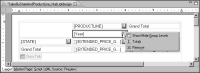
1 Click the button next to the data element, as shown in
Figure 18‑41.
Figure 18‑41 Displaying a menu for a selected element in the cross tab
2 Choose Show or Hide Group Levels.
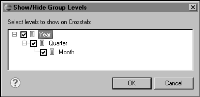
3 In Show or Hide Group Levels, select the levels to display.
Figure 18‑42 shows an example of selecting all levels.
Figure 18‑42 Show or Hide Group Levels
In the example, the time dimension has only three levels. If you want to display additional levels, such as week-of-month or day-of month, edit the definition of the time dimension in the cube builder.
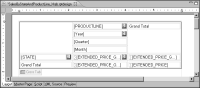
4 Choose OK. BIRT creates a data element for each selected level, as shown in
Figure 18‑43.
Figure 18‑43 Cross tab displays a data element each for the year, quarter, and month levels